Passive Link Building: Creating Statistic Pages that Generate Backlinks
If you’ve been in the SEO industry as long as me, you will know the struggles when it comes to link building. Especially building high-quality backlinks, the amount of time, effort, and resources involved in trying to build quality links can really leave you tearing your hair out.
Initially, when a client comes on board, especially if they’ve maybe not worked with any SEO agencies in the past, there’s generally low-hanging fruit when it comes to backlink opportunities. Once you’ve utilised and achieved the low-hanging fruit backlink opportunities, in my experience, you can be sat there really scraping the barrel.
You’re thinking, “Do I really want to spend $200 on this guest post or link insertion opportunity?”, when the website may not be relevant enough to your client, or generally seems to be another one of those guest post sites that are glorified link farms
Digital PR is probably one of the most effective ways to generate high-quality backlinks; however, links via digital PR are not always guaranteed. I’ve seen plenty of reports of big online news agencies making lots of their online reporters redundant, so the pool of online journalists and reporters seems to be getting smaller.
Now, with AI, when it’s so easy to put press releases together, they’re probably waking up every Monday morning with 500 emails in their inbox. Even if you have a genuinely fantastic digital PR campaign that’s newsworthy, it may not get noticed.
Passive Link Building
This is where passive link building comes into play. In an ideal world, when it comes to backlinks, you won’t need to pay for anything. You’ll just let the backlinks roll in organically, and surely they’re the best backlinks that you can achieve. If they’re organic, that means they’re natural, as well as being natural in Google’s eyes.
We’ve experimented with specific ways you can do this, including the likes of calculators. Here are some examples we made: Yacht Fuel Cost Calculator & a Hen Party Budget Calculator.

There are other funky things you could create to try to gain passive links, such as interactive maps. I suppose it all depends on the type of client, their industry, and what people are searching for in that industry when it comes to these sorts of ideas.
Step up, the Statistic Pages
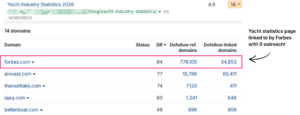
Statistic pages are what I like to call the holy grail of passive link building. Think about it, you’ve got so many bloggers and journalists all wanting data out there to aid their own writing, for example, to back up an opinion they may have or a theory within their own article.
If you can write a comprehensive statistics article that ranks in and around the top of Google, you’re going to be front and centre in the eyes of these people wanting the data, which in turn, they may quote one of your statistics, giving you a backlink in return!
How to build a stat page that earns citations
So first of all, if you have a keyword research tool such as Ahrefs or SEMrush, this will give you a huge step up in terms of identifying particular statistical article topics to write about based on the search volume.
However, if there isn’t much search volume or no search volume at all, don’t be disheartened. Use your own judgment in terms of thinking to yourself, “Okay, do people actually write about this topic?, Can I imagine people wanting stats around this topic”
There are quite a few instances where there’s been extremely little search volume or no search volume at all, according to the keyword research tools at least, that have gone on to perform well.
When it comes to putting the statistics article together, you really want to think about the layout and formatting to make it as easy as possible for journalists and bloggers to pull out specific statistics.
There are a few tips and tricks around this, for example:
Making sure the key elements, such as the percentages and numbers, are all bolded
Don’t name the original source in the body – give them a reason to cite your page, not the source behind it
For example, a single stat on a paving company’s page might read: “The average cost of a new block-paved driveway in the UK is £4,500” – with the figure bolded so a journalist can spot it and lift it in seconds

Then, once you’ve launched your static article, you need to make sure the SEO elements are in place, such as an optimised meta title, H1, etc. As well as ideally having internal links pointing to the page.
And of course, if the website that you’ve placed a stats article on is not a huge website with lots of authority, it might take a bit of time to get ranking. You could also maybe do a bit of manual outreach to try to get them initial first links to the site, but I found that I have not had to do that yet. The links have started trickling in over time. Once you have a few initial backlinks, it will start moving up the search engine results page naturally.
Everything above is the overview. If you want the full system, the exact prompts I use, the workflow, and the editorial checks I run on every page – I’ve packaged it all into an AI toolkit on Gumroad.
Create your own stat pages
Ben’s Stat Page Toolkit
Includes templates, prompts, examples and the exact process used to build statistic pages that attract links and coverage without constant outreach.
What’s inside A set of ready-to-run prompts and a setup guide that takes you from research brief to CMS-ready HTML in a fraction of the usual time.
- A Perplexity deep research prompt that generates a journalist-ready draft from scratch
- A Claude audit prompt that sense-checks every stat, source and structural issue before anything goes out
- A Claude HTML conversion prompt that outputs clean, publish-ready code
- A step-by-step setup guide so the whole thing runs properly first time
Any questions, drop me a message on LinkedIn or email me at ben.dracup@mintydigital.com.
